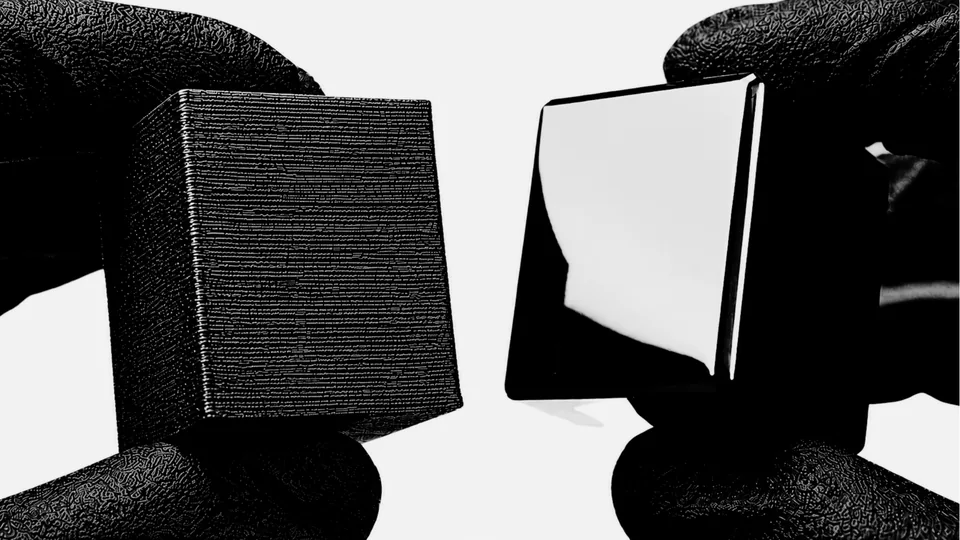
Start with the right print settings
Finishing starts with print quality. Inconsistent extrusion, ringing, weak walls, or unstable top surfaces cannot always be corrected without changing the designed form. Build a repeatable print baseline first so surface work is solving texture rather than compensating for structural or dimensional problems.
Do not jump straight to fine sandpaper
An abrasive that is too gentle may polish raised areas while leaving the underlying layer pattern intact. One that is too aggressive can erase detail and create deep scratches. Select the least destructive correction that can address the visible defect, then verify the result before refining further.
Use controlled pressure
PLA can soften as friction builds. Controlled pressure, suitable support, and regular inspection help protect planes and edges. If the surface begins to smear, lose definition, or change shape, stop and reassess rather than forcing progress.
Prime only after the surface is even
Primer can make small inconsistencies easier to read, but it does not correct uncontrolled geometry. Use it only when the surface is ready for refinement, follow the coating instructions, and judge the primed part under directional light before deciding whether it can move forward.
Check the finish under harsh light
Soft room light can hide ridges, cross-scratches, and low areas. Directional light makes those defects easier to compare across the part. A surface that stays visually consistent as the light moves is more likely to photograph and present as a finished product.
Common mistakes
- Generating enough friction to soften or smear the PLA surface.
- Changing abrasive stages before the current defect is controlled.
- Rounding crisp edges that should stay intentional.
- Expecting paint to hide poor surface prep.
Bottom line
Removing PLA layer lines is a controlled handoff problem. Read the defect, preserve the design, verify the surface under revealing light, and prepare it for the chosen finish. PolishMaster documents the specific material paths in the complete Formula.